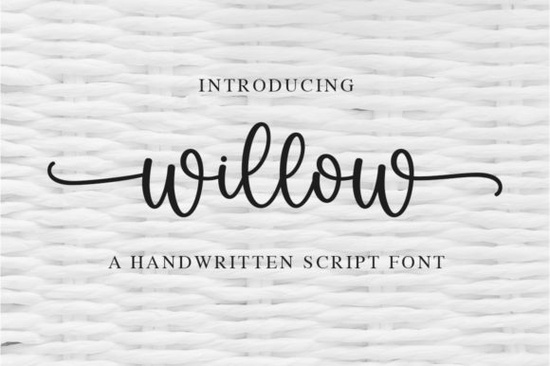
If you are looking for a script typeface that feels personal and refined, the Willow Font is a fantastic choice for your next project. This delicate, elegant, and flowing handwritten typeface brings a natural touch to branding, wedding invitations, and social media graphics. Because the characters are beautifully balanced, it adapts easily to a wide variety of design styles without looking out of place.
How does PUA encoding make designing easier?
One of the most practical features of this typeface is its PUA (Private Use Area) encoding. If you have ever struggled to find alternate characters or swashes in your design software, you know how frustrating it can be. With PUA encoding, all the extra glyphs, ligatures, and swashes are mapped to standard Unicode slots. This means you can access them directly through your software’s glyph panel or character map, saving you time and keeping your creative flow uninterrupted.
What kind of projects work best with flowing script fonts?
Flowing handwritten styles are perfect for projects that need a personal, human touch. Small business owners often use them for logos, product packaging, and thank-you cards. Crafters love them for vinyl decals and sublimation designs.
When you are building a cohesive brand identity, you might want to pair your main script with a clean sans-serif. If you need more options for your typography toolkit, you could explore a playful script like Lucky for a slightly bolder look, or check out a formal style designed for bridal events if you are specifically designing wedding materials.
For crafters who work with vinyl or sublimation, having a variety of styles is essential. You can mix and match this delicate style with the Montana typeface to create beautiful contrast on t-shirts and mugs. If you prefer a more relaxed, coastal vibe for your summer products, the Beach Waves duo offers a great alternative. And for those who want a massive variety of casual styles for everyday planner designs, grabbing a large collection of notebook handwriting styles is a smart investment.
How do you install and use the swashes properly?
Getting the most out of your new typeface is simple. First, download the file and install it on your computer by double-clicking the .otf or .ttf file. Once installed, it will be available in all your favorite design programs.
To use the swashes and alternate characters:
- In Adobe Illustrator or Photoshop, open the Glyphs panel (Window > Type > Glyphs) to see all available characters.
- In Canva, look for the ligatures and swashes toggles in the text settings if the platform supports PUA features for this specific file.
- For Cricut Design Space or Silhouette Studio, ensure you are using the PUA encoded version of the font so the software recognizes the alternate characters automatically.
Handwritten fonts often have unique spacing. If two letters feel too close together, manually adjust the tracking or kerning in your design software. This small tweak makes a huge difference in how polished the final piece looks. Remember that less is often more. While it is tempting to use every single swash, using them sparingly on capital letters or at the end of words keeps your design looking professional and readable.
What file formats are included and how do they help?
Most premium handwritten typefaces come with both .otf (OpenType) and .ttf (TrueType) formats. The OpenType format is usually best for desktop design software like Adobe Creative Cloud because it fully supports advanced typographic features and PUA encoding. The TrueType format is highly compatible with cutting machines and older software, ensuring your designs cut and print exactly as you see them on screen.
Before you finalize your next project, run through this quick checklist to ensure your typography looks its best:
- Check readability: Zoom out to see if the delicate strokes are still clear at smaller sizes.
- Limit your swashes: Stick to one or two flourishes per line to avoid visual clutter.
- Test your contrast: Pair the flowing script with a simple, clean secondary font to let the main text stand out.
- Verify machine compatibility: If cutting vinyl, do a small test cut first to ensure the thin lines don't tear.
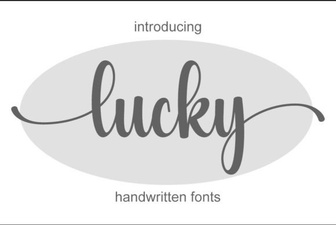 Find the Perfect Font for Your Lucky Project
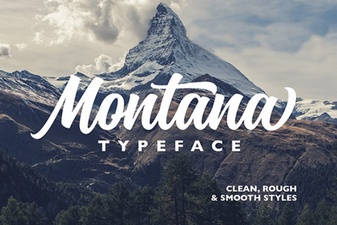 The Montana Font: Creative Uses for Your Design Projects
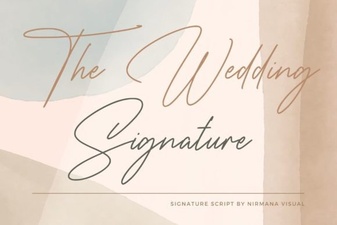 The Signature Font for Your Wedding Design
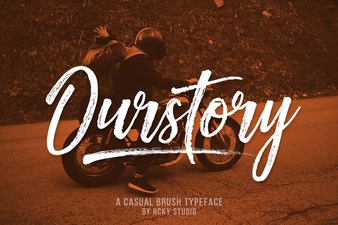 Ourstory Duo: a Creative Font Pair for Your Projects
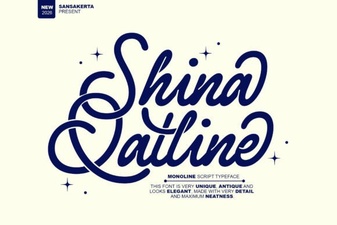 Shina Qatline Font for Modern Typography Projects
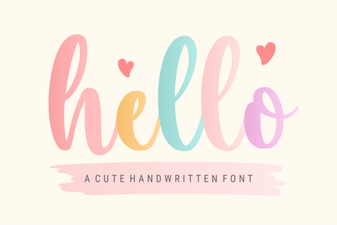 Discover & Use Hello Fonts for Creative Designs